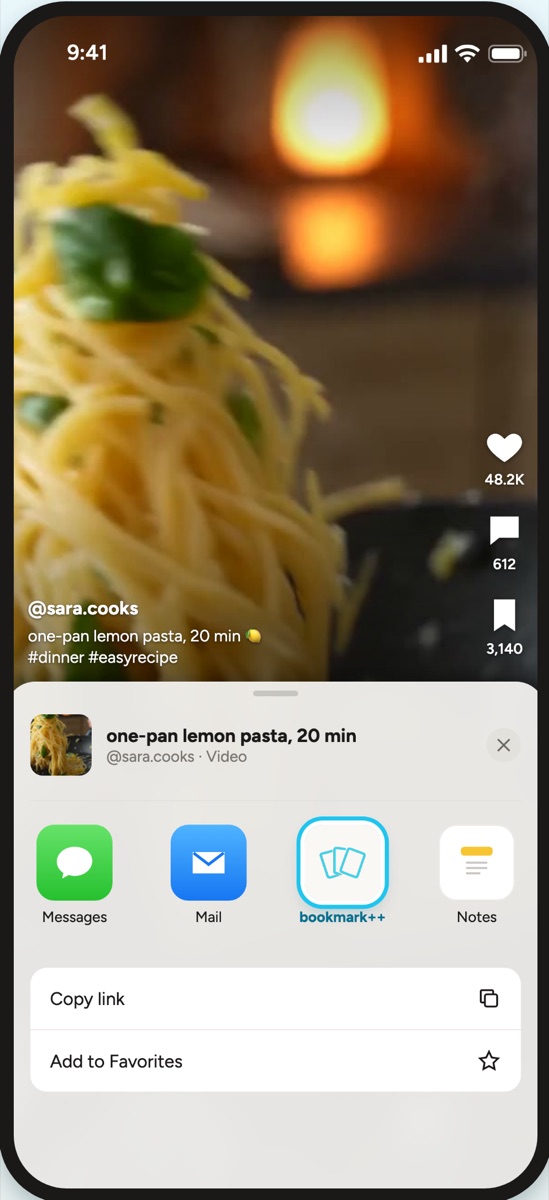
one-pan lemon pasta, 20 min@sara.cooks · Video
 bookmark++
Sign in
Get the app
bookmark++
Sign in
Get the app
bookmark++ keeps everything you save from TikTok, Instagram, YouTube, X, LinkedIn and the web in one private library. It reads each one, so later you can just ask.
Free for your first 100 saves. No card needed.
Save from anywhere
Videos, carousels, threads and articles land in one place, get watched and read, and answer when you ask.
How it works
Three steps, and the last one is the reason you saved it in the first place.
Tap Share in TikTok, Instagram, X or Safari and pick bookmark++. It saves inside the share sheet, so you never leave what you were watching.
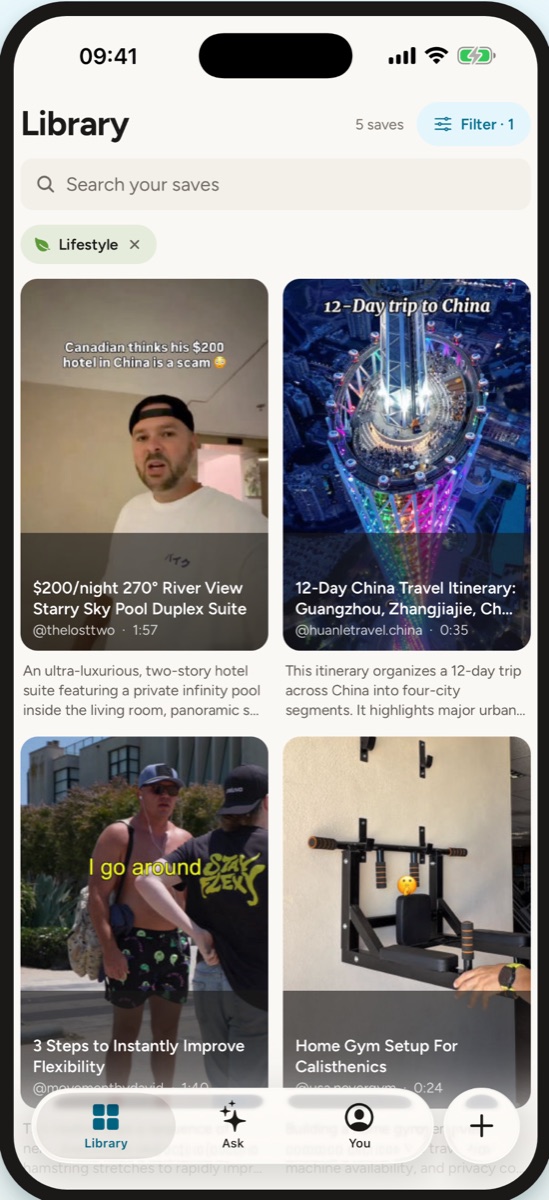
It watches the video and reads the slides, the caption or the article. You get a summary and the steps or key points, filed into a collection on its own.
Ask it the way you remember it, in any language. The answer comes from your own saves, with a link back to every post.
Works with
What’s said, the text on screen, every slide. Bring a whole collection with its link.
The reel’s audio, the caption and each slide. Old saves come in from your export.
The captions, turned into a summary and the key points.
The post, the thread and its video. Old bookmarks come in from an export file.
The text, the author and the date. Saved items come in from your export.
The article’s text, so you can find it by what it said, not its title.
The text in the picture: a recipe, a price, a list, a quote.
Paste the link. If there’s text we can read, it’s in.
For AI apps · free on every plan
bookmark++ is an MCP server. Your AI apps can search your saves, ask them and save new links, and they cite the exact post. One URL and a key, nothing to install.
› what was that video about running subagents in claude code?
bookmarkpp · ask_library “video about running subagents in claude code”
The one you saved is “How to Use Claude Code Subagents and Slash Commands” by @agentic.james: it generates a markdown prompt file per subagent, then turns each into a slash command so the main agent can chain them.
TikTok · ai-coding · 12 candidates considered, answered in 1,691 ms
Pricing
No card needed.
In the iPhone app or on the web.
In the iPhone app or on the web.
Questions
TikTok videos and photo slideshows, Instagram reels and carousels, YouTube videos and Shorts, X posts, LinkedIn posts, articles and any web page, plus your own screenshots and photos.
In any app, tap Share and pick bookmark++. On iPhone it saves right inside the share sheet, so you never leave the app you’re in. On the web, paste a link anywhere.
No. It reads what is said and shown and writes a private summary you can search. The video stays where it was posted, and Open always takes you back to it.
Only you. Your library is private and never published or sold. You can export everything or delete your account any time.
Nothing is lost. Past 100 saves, new saves wait in your library and are read the moment you’re on Pro. On Pro, the month’s saves start again on the 1st.
Yes. Paste a public TikTok collection link, or upload your Instagram, LinkedIn or X bookmarks export, or any list of links. You see what was found before anything is imported.
Yes, on every plan, Free included. bookmark++ is an MCP server, so your AI apps can search and ask your saves and cite the post. How to connect them.
Not yet. The web app works in any phone browser in the meantime.
Anything else: [email protected]
We’ll read it, file it and remember it for you.